
Video Clipping Engine
Capture the best moments from live streams and prerecorded videos. Automate clipping and monitor selected channels for new content.
All-in-one creator toolkit
Clip. Edit. Create. Publish.
Everything you need to turn long videos into engaging content. Discover creators, capture the best moments, edit your clips, design thumbnails, and publish across your favorite platforms — all from one powerful application.
Local-first processing. Your computer, your resources, your workflow.
Local-first
CHIPPER Studio is designed to run locally on your computer, using your own hardware resources to process videos and manage your clipping workflow.
Connected services you choose to use, such as social platforms or optional AI writing keys, still communicate over the internet.
Features
From discovering content to publishing your finished clips, CHIPPER Studio brings your entire creative workflow together.
Capture the best moments from live streams and prerecorded videos. Automate clipping and monitor selected channels for new content.
Edit your clips with integrated editing tools. Trim, split, crop, add captions, and prepare videos for social platforms.
Create engaging thumbnails with built-in design tools, text, graphics, and templates.
Connect your social accounts and publish your content directly to Instagram, Facebook, TikTok, and YouTube.
Discover popular YouTubers, Clipping Champions, and trending clipping campaigns.
Control your desktop clipping workflow remotely using your Android smartphone.
Discover
Explore creators, discover clipping opportunities, and stay updated with trending campaigns.
Clippers worth learning from.
Channels with fresh uploads and streams.
Clipping briefs you can work on.
Illustrative sample content. Creators and campaigns shown in the app come from live sources.
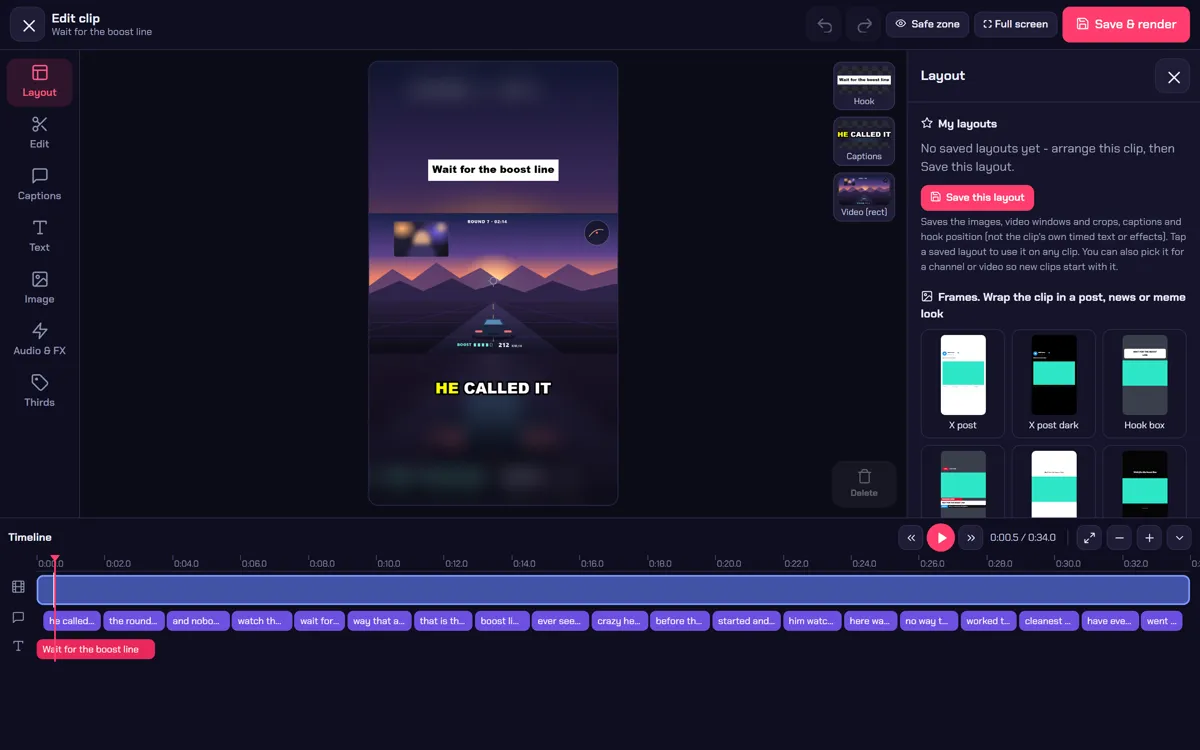
Editing Studio
Create polished videos without constantly switching between different applications.
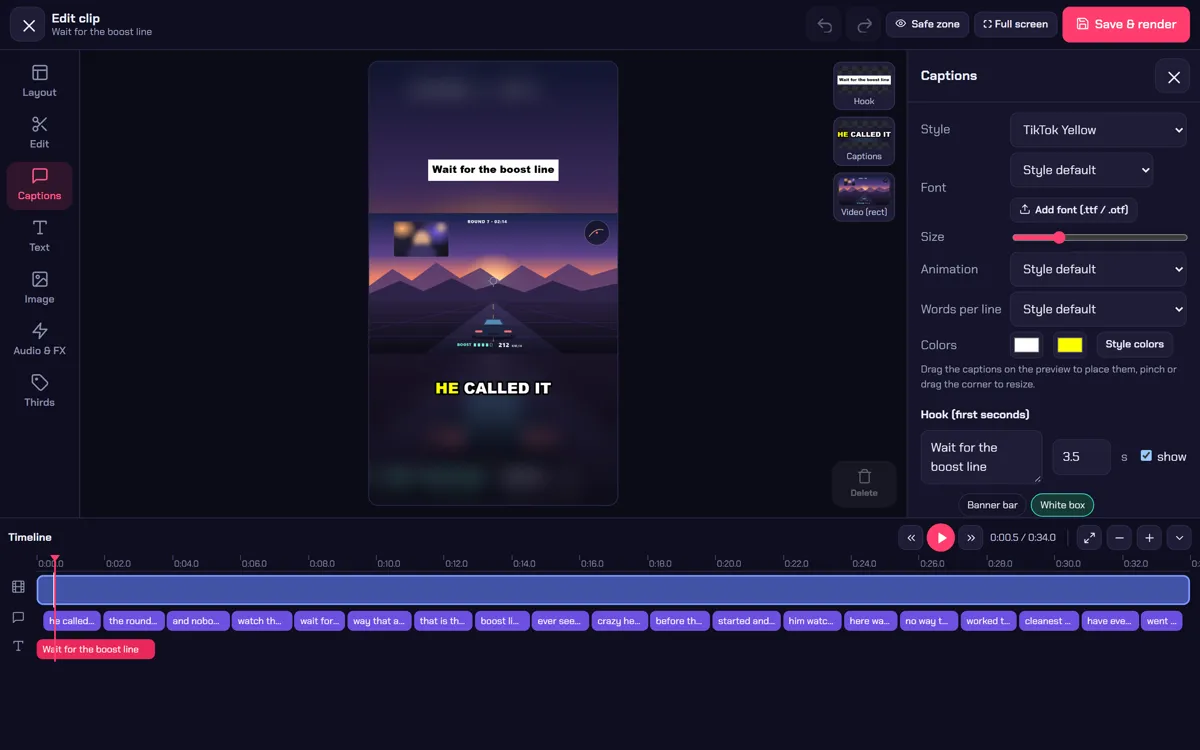
Actual CHIPPER Studio interface. Clip content is a sample.
Publishing
Connect your social media accounts and publish your content from one centralized workspace.
Publishing works through each platform's official access and the permissions you grant. Supported account types and formats depend on the platform. Nothing is posted until you press Post.
Android Companion
Your computer doesn't have to be in front of you. Control your CHIPPER Studio desktop application remotely using your Android phone.
Keep your computer on. Remote control works while your desktop is powered on, running CHIPPER Studio and connected to the internet.
Workflow
Find creators, channels, and campaigns.
Capture interesting moments from live streams and videos.
Edit clips and design thumbnails.
Share your finished content across social media.
Download
Get started with CHIPPER Studio and bring your entire content creation workflow into one place.
Windows 10 or 11macOS 12 or newerAbout 2 GB disk
You may need to allow installs from your browser.
Support
If CHIPPER Studio makes your creative workflow easier, consider supporting its development.
Help the project grow by starring our GitHub repository.
Support continued development through a voluntary contribution.
Have questions, feedback, or suggestions? We'd love to hear from you.